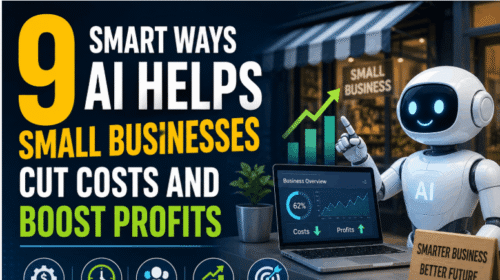










How to Use AI Agents to Automate Your Small Business Workflows Safely
Every small business owner faces the same challenge: too much work, too little time. Tasks like emails, customer service, scheduling, and accounting can eat up hours every week. Now, AI agents offer a new solution. They can help automate your workflows, saving time and reducing mistakes. But using AI safely is key. If you set up automation the wrong way, you risk errors, data leaks, or unhappy customers. This guide will show you how to use AI agents to automate your business workflows with confidence and safety. You’ll learn the latest strategies, see real examples, and understand how to avoid common mistakes.
Understanding Ai Agents In Small Business
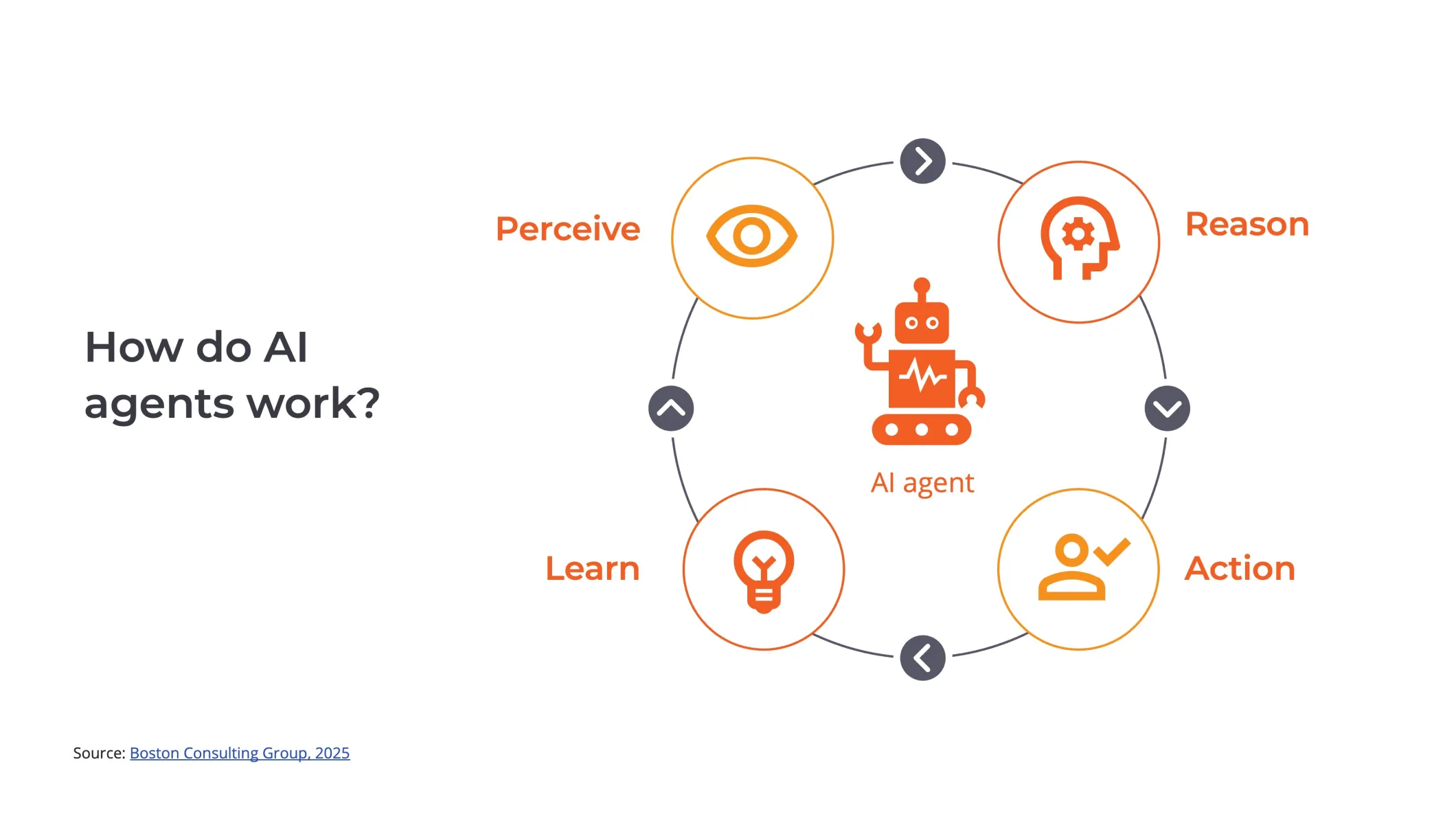
AI agents are software tools that use artificial intelligence to perform tasks automatically. They can read emails, update spreadsheets, answer customer questions, and even schedule meetings. Unlike simple bots, AI agents learn from data, adjust their actions, and sometimes make decisions without human help.
In 2026, AI agents are smarter than ever. They use advanced machine learning, natural language processing, and real-time data to get jobs done quickly. For small businesses, AI agents can handle repetitive tasks, free up your team, and reduce costs. According to a 2026 survey by Gartner, 78% of small businesses using AI agents report higher productivity and faster service.
Some examples of AI agents in small business:
- Chatbots that answer customer questions 24/7
- Scheduling assistants that find the best meeting times
- Accounting bots that process invoices and receipts
- Marketing automation agents that send emails based on customer behavior
But with automation comes risk. If you don’t set up your AI agents carefully, you could face security issues, bad data, or even legal trouble. That’s why safety must always come first.
Choosing The Right Ai Agent For Your Workflow
Not every AI agent is the same. You need to pick tools that fit your business needs. Start by mapping out your most time-consuming tasks. Ask: Which jobs repeat often? Which ones require accuracy? Which tasks involve sensitive data?
Here’s a simple way to compare AI agents for small business needs:
| AI Agent Type | Main Task | Suitable Business Size | Typical Cost (2026) |
|---|---|---|---|
| Chatbot | Customer support | All sizes | $10–$200/month |
| Scheduling Assistant | Meeting booking | 1–50 employees | $8–$120/month |
| Accounting Bot | Invoice processing | 1–100 employees | $20–$300/month |
| Marketing Automation | Email campaigns | 1–5000 customers | $15–$500/month |
When choosing, focus on:
- Integration: Will the agent work with your existing software (like Gmail, QuickBooks, or Slack)?
- Data security: Does the agent follow up-to-date privacy standards?
- Customization: Can you adjust the agent’s settings to match your workflow?
- Support: Is there help available if something goes wrong?
Many beginners overlook the need for integration. If your AI agent cannot connect with your current tools, you will waste time and risk errors. Also, don’t ignore customization. Generic AI agents often do not fit unique business workflows.
Setting Up Ai Agents Safely
Safety is the top concern when automating business tasks. AI agents often handle private information like customer data, invoices, and emails. Protecting this data is essential.
Here’s a step-by-step guide to setting up AI agents safely:
- Check vendor reputation: Only use AI agents from trusted companies. Look for reviews, security certifications, and case studies.
- Understand privacy policies: Read the privacy policy before you connect any agent to your business data.
- Limit access: Give AI agents access only to the data and tasks they need. Don’t provide full access to all files or customer records.
- Set up user permissions: Use strong passwords and control who can manage or change AI agent settings.
- Test with sample data: Before using the agent with real customers, test it with fake or sample data. See how it works and check for errors.
- Monitor activity: Use software logs or dashboards to watch what the AI agent does. If you see something strange, act quickly.
A common mistake is skipping the test phase. Many owners rush to use AI agents with real data, but this increases the risk of mistakes. Testing helps you spot problems early.
Automating Customer Support With Ai Agents
Customer support is one of the easiest places to start automation. Modern AI chatbots can answer common questions, handle complaints, and even process simple orders. By 2026, 65% of small businesses in the US use AI agents for customer support, according to Statista.
Here’s how to automate customer support safely:
- Choose a chatbot platform that supports your website, social media, and messaging apps.
- Train your chatbot with real customer FAQs and scenarios.
- Set clear boundaries: Teach the bot when to hand over complex cases to a human.
- Review bot conversations regularly to check quality and safety.
- Inform customers when they are interacting with an AI agent.
Some businesses use AI chatbots for 80% of all customer queries. But don’t let the bot handle sensitive issues like refunds or legal complaints without human review. Also, always give customers a way to reach a real person.
Here’s a comparison of popular chatbot platforms in 2026:
| Platform | Integration | AI Features | Monthly Cost | Security |
|---|---|---|---|---|
| Zendesk AI | Website, email, social | Advanced NLP, sentiment analysis | $60 | GDPR, ISO 27001 |
| Intercom AI | Smart routing, learning from feedback | $80 | GDPR, SOC 2 | |
| Freshchat AI | Website, WhatsApp, Facebook | Multilingual support, automation flows | $40 | GDPR, ISO 27001 |

Credit: www.microsoft.com
Automating Scheduling And Appointments
Booking meetings and appointments is a classic business headache. AI scheduling assistants use calendars, emails, and employee availability to find the best time slots. They can avoid double-bookings, send reminders, and reschedule automatically.
To automate scheduling safely:
- Use an assistant that connects to Google Calendar, Microsoft Outlook, or your booking system.
- Set clear working hours and rules for meetings.
- Review appointment requests before they are confirmed, especially for VIP clients.
- Keep customer data private. Only store names, emails, and phone numbers if truly needed.
- Enable notifications so you can see every booking made by the AI agent.
Many owners forget to set rules for after-hours meetings. This can lead to bookings outside your preferred times, causing confusion. Make sure your AI agent knows your business hours.
Automating Accounting And Finance Workflows
Money matters require extra care. AI accounting bots can scan receipts, match invoices, pay bills, and track expenses. By automating these tasks, you reduce manual errors and speed up reporting.
Best practices for safe accounting automation:
- Choose bots that work with your accounting software (QuickBooks, Xero, etc. ).
- Set strict permissions so bots only access financial data needed for their tasks.
- Schedule regular checks: Review bot actions weekly or monthly.
- Use two-factor authentication (2FA) for all accounts linked to AI agents.
- Backup important financial data in a secure location.
Data from the US Small Business Administration in 2026 shows that businesses using AI agents for accounting cut their manual bookkeeping time by 50%.
A non-obvious insight: Many owners do not monitor bot-initiated payments closely. Always check payment logs and reconcile with your bank statements.
Credit: www.oneadvanced.com
Automating Marketing And Sales Activities
Marketing is another area where AI agents shine. They can send emails, segment customers, post social media updates, and track campaign results. AI agents analyze customer behavior to send personalized messages, increasing engagement.
To automate marketing safely:
- Use agents that comply with data privacy laws (GDPR, CCPA).
- Double-check email lists before sending campaigns—avoid sending to the wrong contacts.
- Set up approval steps for major campaigns.
- Monitor open rates, clicks, and feedback to refine your strategy.
A study by HubSpot in 2026 found that small businesses using AI for marketing saw a 37% increase in campaign ROI.
One practical tip: Don’t let AI agents send messages without human review for special promotions or sensitive announcements.
Common Risks And How To Avoid Them
Automation makes work easier, but it can also introduce risks. Here are the most common problems and how to avoid them:
- Data leaks: AI agents can expose customer or business data if not set up properly. Use encryption and limit access.
- Wrong decisions: Poorly trained agents may make mistakes. Always review their actions, especially for important tasks.
- Over-automation: Automating too many steps can reduce personal touch. Keep humans involved in key decisions.
- Legal compliance: Make sure your AI agents follow privacy and data laws in your country.
- System errors: Test agents regularly to catch bugs or unexpected behavior.
Here’s a summary of risks and safety strategies:
| Risk | Impact | Safety Strategy |
|---|---|---|
| Data leak | Customer trust loss | Use encryption, limit access |
| Wrong action | Financial loss | Review agent actions |
| Over-automation | Reduced customer loyalty | Keep humans in key steps |
| Legal issues | Fines, lawsuits | Follow privacy laws |
| System error | Business interruption | Test and monitor regularly |
Many beginners miss the risk of over-automation. When customers feel ignored by machines, loyalty drops. Balance is vital.
Credit: www.ampcome.com
Training And Monitoring Your Ai Agents
AI agents need good data and regular updates. Train your agents with real-life examples and feedback from your team. Monitor their actions and adjust settings as needed.
Steps for effective training and monitoring:
- Gather sample workflows and customer questions.
- Feed these examples into your AI agent to improve accuracy.
- Set up regular reviews—weekly or monthly.
- Use dashboards to track agent performance.
- Collect feedback from customers and staff.
A practical insight: In 2026, many platforms let you retrain AI agents easily. Use new data from your business to keep agents up to date.
Scaling Automation As Your Business Grows
As your business grows, your workflow automation needs will change. Start small—automate simple tasks first. As you gain confidence, add more complex automation.
Tips for scaling safely:
- Use agents with flexible pricing and features.
- Add automation in stages, not all at once.
- Upgrade security as you handle more data.
- Train staff on new tools and processes.
One mistake to avoid: Scaling too quickly without proper safety checks. Always review security and workflow before adding new automation.
Real-world Example: How A Small Retailer Automated Safely
Consider “GreenLeaf Boutique,” a small retailer in Texas. In 2026, they used AI agents to automate customer support, inventory management, and marketing.
They started by mapping their workflows. The owner chose a chatbot for common customer questions, an inventory agent to update stock, and a marketing bot for emails. Before launching, they tested all agents with fake data.
GreenLeaf limited access to sensitive data, set up weekly reviews, and trained staff to manage AI agents. When a customer had a complex problem, the chatbot handed off to a human. The result? GreenLeaf saved 20 hours per week and improved customer satisfaction.
The key takeaway: Safe setup, testing, and human oversight made automation a success.
Keeping Up With Ai Agent Advances
AI agent technology changes quickly. In 2026, new features like real-time learning, contextual understanding, and multi-channel integration are common. Stay informed about updates and best practices.
Follow these steps:
- Subscribe to AI business newsletters.
- Attend webinars and workshops.
- Read case studies from other small businesses.
- Review vendor update notes regularly.
One useful resource is Gartner Newsroom, which shares the latest AI trends and business news.
Frequently Asked Questions
What Is An Ai Agent?
An AI agent is a software tool that uses artificial intelligence to perform tasks automatically. It can read emails, schedule meetings, answer questions, and process data without constant human guidance.
How Can I Make Sure My Data Stays Safe With Ai Agents?
Limit the agent’s access to only necessary data, use encryption, and choose reputable vendors. Regularly monitor agent activity and update security settings. Always read privacy policies before connecting an agent to your workflow.
Can Ai Agents Replace All Human Tasks In My Business?
No. AI agents are best for repetitive and simple tasks. Human oversight is needed for complex decisions, sensitive issues, and tasks that require empathy or creativity. Balance automation with personal service.
What Are The Most Common Mistakes When Using Ai Agents?
Common mistakes include skipping safety tests, over-automating workflows, ignoring privacy laws, and not monitoring agent activity. Always test agents with sample data and keep humans involved in important tasks.
How Do I Keep My Ai Agents Up To Date?
Train your agents with new data from your business, review performance regularly, and update settings when needed. Follow vendor updates and industry news to learn about new features and improvements.
Automating your small business workflows with AI agents can make your operations faster, more efficient, and less stressful. But safety is vital. Choose the right tools, test carefully, and always keep human oversight where it matters. By following these steps, you can enjoy the benefits of AI while protecting your business and your customers.
The world of automation is moving fast—embrace it confidently, and your business will stay ahead.
7 Low-Cost AI Small Business Ideas to Start from Home in 2026