






Build a Profitable Digital Template Business
Starting a digital template business can change your life. Many entrepreneurs now earn full-time incomes by selling templates online. The best part? You don’t need to be a tech genius or spend thousands to get started. If you’re ready to learn how to build a profitable digital template business from scratch, this guide will show you how to do it step by step—using real-world strategies, practical advice, and insider tips that most beginners miss.
Why Digital Templates Are A Hot Business In 2026
Selling digital templates is a booming market. Templates save time for busy people and businesses. They help with resumes, planners, presentations, social media, websites, and much more. According to recent reports, the global digital content market is expected to reach $38 billion by 2027. On Etsy alone, digital downloads (most of them templates) have seen a 50%+ increase in sales since 2020.
What makes templates so powerful? You create them once, then sell to unlimited customers. There’s no inventory, shipping, or physical overhead. With the right approach, you can earn passive income month after month.
This business model is perfect for people who want flexibility. You can work from home, set your own hours, and scale your business as you grow. Unlike physical products, you don’t need to worry about storage or delivery issues. Templates are delivered instantly after purchase, which means customers are happier and you save time.
Another reason templates are hot: they fit almost any industry. Businesses, teachers, event planners, and even families need ready-made designs. Because the digital template market is global, you can sell to buyers in any country—there are no borders. This worldwide reach means your customer base is much larger than if you sold physical goods.
Non-obvious Insight: Many buyers use templates to improve their own businesses or personal branding. When you make templates that help people earn or save money, they are more likely to buy and recommend your shop.
Understanding Digital Templates: Types And Niches
Before you jump in, you need to understand what a digital template is and which types are most profitable. A digital template is a pre-designed file someone can download and customize for their own use.
Popular Template Categories
- Business templates: Invoices, proposals, contracts, social media kits, pitch decks
- Personal templates: Planners, journals, resume/CV, invitations, meal plans
- Education templates: Lesson plans, worksheets, study guides, classroom posters
- Marketing templates: Email sequences, content calendars, ad mockups, lead magnets
- Web and design templates: Website themes, landing pages, Canva/Photoshop files
Each category serves a unique audience. For example, business templates are popular with freelancers and startups who need professional documents fast. Personal templates attract busy parents or students looking to organize their lives. Education templates are often used by teachers who want to save time on lesson planning.
High-demand Niches
Choosing the right niche is critical. Some of the fastest-growing niches in 2026 are:
- Small business resources: Templates for freelancers, coaches, and consultants
- Wedding and event planning: Invitations, seating charts, checklists
- Social media management: Instagram story sets, Pinterest pins, LinkedIn banners
- Finance and budgeting: Expense trackers, invoice templates, annual budget planners
For example, wedding planners and brides often need many templates—invitation cards, RSVP forms, seating charts, schedules. If you create a set of wedding templates, you can sell them as bundles, increasing your earnings.
Social media managers are always looking for fresh designs. Creating templates for Instagram, Facebook, or Pinterest can attract repeat buyers. People managing their finances use trackers and planners to stay organized. These templates are often updated yearly, which means customers come back for the newest versions.
Insider Tip: Look for niches where buyers need to update templates regularly (like content calendars or planners). This creates repeat customers.
Another smart move is to combine niches. For example, a business planner template can include financial tracking sheets and social media calendars, appealing to multiple buyer groups.
Research: Find Profitable Template Ideas
Success starts with research. You need to know what people are looking for—and what they will pay for.
How To Research Template Trends
- Etsy: Search for “digital template” and filter by “Bestseller” badges.
- Pinterest: See which templates get the most repins and clicks.
- Google Trends: Enter template keywords and compare interest over time.
- Marketplaces: Check Creative Market, Envato Elements, and Design Bundles for top sellers.
When you research, look at the details: What colors, layouts, and features are trending? Are there new formats, like mobile-friendly or AI-powered templates? Pay attention to seasonal trends—planners and calendars sell well at the start of the year, while wedding templates peak in spring and summer.
Example: On Etsy, “wedding invitation template” and “business planner template” are consistently in the top 10 searches.
Analyze The Competition
Study the top sellers. What do their templates include? What’s missing? Read customer reviews to find pain points. Maybe customers say, “Wish this came in more colors” or “Needs better instructions. ” These are opportunities for you.
Look at how sellers use images and descriptions. Are their previews clear? Are their instructions easy to follow? Sometimes, even best-selling templates lack support materials. If you add simple guides or helpful videos, your templates can stand out.
Also, check how quickly competitors respond to customer questions. If buyers complain about slow support, you can win them by offering faster replies.
Table: Popular Template Niches Vs. Buyer Demand
| Template Niche | Buyer Demand (High/Medium/Low) | Competition Level |
|---|---|---|
| Resume/CV Templates | High | High |
| Social Media Kits | High | Medium |
| Wedding Invitations | Medium | Medium |
| Business Planners | High | Medium |
| Financial Trackers | Medium | Low |
Non-obvious Insight: Low competition niches with medium demand (like financial trackers) can be more profitable than crowded high-demand spaces.
Another overlooked approach is to target niches that serve local needs. For example, templates in local languages or formats (like invoices for a specific country) often have lower competition.
Planning Your Template Business: Brand, Platform, And Legal Basics
A solid foundation makes your template business last. Let’s break down the essentials.
Branding Your Template Shop
You don’t need a huge brand, but you do need a clear message. Pick a business name that matches your niche and is easy to remember. Create a simple logo with Canva or LogoMakr. Use consistent colors and fonts across your templates and shop.
Branding builds trust and helps customers recognize your products. Think about your target audience: Are they professionals, students, or wedding planners? Choose colors and fonts that match their style. For example, wedding templates often use soft pastel colors, while business templates are more neutral.
Don’t underestimate the power of a tagline. Something like “Templates That Save You Time” or “Designs for Busy Entrepreneurs” can help buyers understand your value quickly.
Choosing The Right Selling Platform
There are three main ways to sell digital templates:
- Marketplaces (Etsy, Creative Market, Design Bundles): Easy to start, built-in traffic, but higher fees.
- Your own website (Shopify, WooCommerce, Squarespace): More control, keeps more profit, but you must drive your own traffic.
- Hybrid: Start with a marketplace, then build your site for long-term growth.
Comparison: Marketplaces Vs. Your Own Website
| Aspect | Marketplaces | Your Own Website |
|---|---|---|
| Start-up Cost | Low | Medium |
| Traffic | High | Low (at first) |
| Profit Margin | Lower | Higher |
| Brand Control | Limited | Full |
Experience-Based Tip: Many successful sellers start on Etsy, validate their templates, then launch their own Shopify store.
When you build your own website, you can add features like a blog, newsletter sign-ups, or customer reviews. This helps you build a loyal audience and higher profits. However, remember that you need to invest time in marketing to bring traffic to your site.
Legal Basics
- Register your business if needed (LLC or sole proprietorship, depending on your location).
- Use your own designs or buy commercial-use graphics/licenses.
- Write clear terms for your templates (personal use vs. commercial use).
Non-obvious Insight: Always keep proof of purchase for any fonts or images you use in your templates. Marketplaces sometimes ask for these to verify your rights.
It’s also smart to create a simple privacy policy and terms of service for your website, especially if you collect email addresses or payment data. This builds trust and keeps you safe from legal issues.
Creating High-quality Templates: Tools, Design, And Usability
Your templates should look great—but they must be easy for buyers to use. The average buyer is not a designer, so simplicity wins.
Best Tools For Creating Templates
- Canva: Great for beginners, offers drag-and-drop design.
- Adobe Illustrator & Photoshop: Advanced options for designers.
- Google Slides & PowerPoint: Perfect for presentations and planners.
- Figma: Popular for web and UI templates.
Choose a tool your customers can edit. For example, Canva and Google Slides are best for non-designers, while Photoshop is better for advanced users.
Some sellers also use tools like Affinity Designer or InDesign for more complex templates. If your customers want to edit templates easily, offer formats in popular software (like Canva or PowerPoint).
Key Elements Of Profitable Templates
- Easy to edit: Use clear layers, group elements, and include instructions.
- On-trend designs: Follow current styles in colors, fonts, and layouts.
- Multiple sizes or versions: Offer A4/US Letter, different color themes, and mobile-friendly formats.
- Helpful extras: Add bonus icons, sample text, or a mini-guide.
Testing your templates is important. Download and edit them as your customers would. Make sure the instructions are clear and nothing is broken. If you include sample text or images, make sure buyers know how to replace them.
Another way to improve usability is to provide links to free fonts or images. If your template uses a specific font, let buyers know where they can download it for free.
Common Mistakes To Avoid
- Using licensed graphics without permission (legal risk).
- Making the template too complicated or hard to edit.
- Not testing the template before selling.
- Ignoring accessibility—make sure fonts are readable and colors have enough contrast.
Insider Tip: Offer a short video tutorial or PDF instructions with each template. This builds trust and reduces customer support requests.
If you want to help customers further, create a “Getting Started” guide or FAQ with screenshots. This extra step makes your shop look professional and helps buyers feel confident.
Pricing Strategy: How Much Should You Charge?
Pricing can make or break your business. Too low, and you leave money on the table. Too high, and buyers hesitate.
How To Set The Right Price
- Research competitors’ prices for similar templates.
- Start in the middle range, then adjust based on sales and reviews.
- Offer bundles (e.g., “5 social media templates for $12”) for higher perceived value.
When you start, test different price points. Sometimes buyers see higher-priced templates as better quality. If you offer a bundle, make sure the price is attractive compared to buying each item separately.
Don’t forget to factor in fees from marketplaces and payment processors. If Etsy takes 5% and PayPal takes 3%, build this into your price.
Table: Typical Price Ranges By Template Type
| Template Type | Average Price (USD) | Premium Range |
|---|---|---|
| Resume/CV | $5–$12 | $15–$25 |
| Business Planner | $7–$15 | $20–$40 |
| Social Media Kit | $9–$18 | $25–$50 |
| Website Template | $15–$35 | $50–$120 |
Pro Tip: Test your prices with small increases. If sales don’t drop, you’ve found a stronger profit point.
Also, consider offering limited-time discounts or bundle deals to attract new buyers. If you notice that buyers often ask for customizations, offer a custom design service at a higher price.
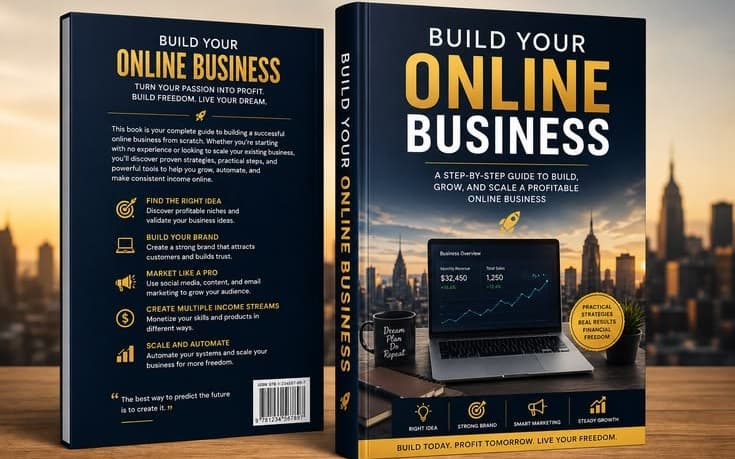
Credit: www.getly.store
Listing Your Templates: Write Descriptions That Sell
A good listing can turn browsers into buyers. Your description must be clear, honest, and helpful.
What To Include In Your Listing
- Short, clear title with keywords buyers use (“Weekly Planner Canva Template”)
- A summary of what the template does
- List of what’s included (number of pages, formats, bonus items)
- How to edit or use the template
- Who it’s for (busy moms, small business owners, students, etc.)
- File format and software required (e.g., PDF, Canva, PowerPoint)
- Clear preview images and mockups
Use preview images that show your template in action. If possible, add mockups (like a planner shown on an iPad or printed sheet) so buyers can imagine using it. Avoid cluttered descriptions—use bullet points and short sentences.
If your template is for a specific audience (like teachers or wedding planners), mention this in the description. Buyers want to know the template fits their needs.
Seo For Template Listings
Use keywords people actually search. For example, “minimalist resume template for Word” is better than “modern CV. ” Include these keywords in the title, first paragraph, and tags.
Non-obvious Insight: Answer common questions in the description. For example, “Can I edit this template on my phone?” This reduces pre-sale messages.
Including keywords naturally also helps your listing show up in search results. If you’re on Etsy, use all available tags and try to match buyer language.
Promoting Your Digital Template Business
Even the best templates won’t sell if nobody sees them. Promotion is key.
Ways To Drive Traffic
- Pinterest: Share eye-catching pins that link to your listings. Templates are popular on Pinterest, and traffic can snowball quickly.
- Instagram: Post short videos or carousels showing your templates in use. Use relevant hashtags.
- Email marketing: Offer a free mini-template in exchange for email sign-ups. Send tips and product updates to your list.
- Blogging/SEO: Write blog posts that attract your ideal customer, like “How to Write a Winning Resume in 2026.”
- Collaborations: Partner with influencers, bloggers, or YouTubers in your niche.
You can also join Facebook groups for your target audience (for example, “Small Business Owners”) and share helpful tips or free samples. This builds trust and makes people more likely to visit your shop.
Paid Advertising
If you’re ready to invest, try Etsy Ads, Pinterest Ads, or Instagram promotions. Start with a small budget and track your results.
Practical Tip: Promote one or two best-selling templates instead of spreading your ad budget too thin.
Track which platforms bring the most traffic and sales. For example, Pinterest often works well for planners, while Instagram is strong for visual templates.
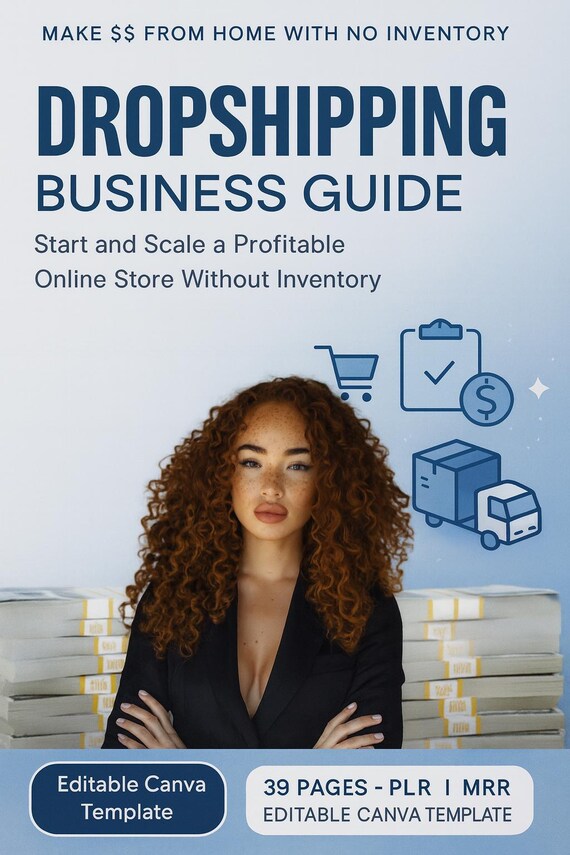
Credit: www.etsy.com
Customer Experience: Support, Feedback, And Repeat Buyers
Happy customers bring more sales. Focus on a smooth buying and editing process.
How To Deliver A Great Experience
- Respond to questions within 24 hours.
- Update templates based on feedback (add new features or fix issues).
- Thank customers and offer a coupon for their next purchase.
- Make your download process easy—give clear links and instructions.
Use automated messages to thank buyers and ask for reviews. Positive reviews increase your shop’s visibility and trust. If you get negative feedback, respond kindly and fix the problem quickly.
Non-obvious Insight: If a customer struggles, offer a free upgrade or bonus. This turns problems into positive reviews.
Repeat buyers are valuable. Create a VIP list or offer exclusive discounts to customers who buy multiple templates.
Scaling Up: Growing Your Template Business Beyond The First Sale
Once you’re making sales, it’s time to grow. Here’s how to turn a side hustle into a full-time income.
Expand Your Product Line
- Add matching items (e.g., offer business cards with resume templates).
- Create bundles or “all-in-one” packs.
- Launch seasonal or trend-based templates.
Bundles are attractive because buyers get more value and you earn more per sale. For example, a wedding bundle with invitations, RSVP cards, and seating charts can be priced higher than each item alone.
Build Your Own Website
Having your own site means more control and higher profits. Use Shopify, WooCommerce, or Squarespace. Integrate email marketing and customer reviews.
Your website can also host a blog, showcase testimonials, and offer downloadable freebies. Over time, you can build a strong audience and sell directly, avoiding marketplace fees.
Automate Where Possible
- Use tools like Zapier to automate order delivery and emails.
- Schedule social media posts in advance.
- Create a FAQ page to reduce support time.
Automation saves you hours each week. When your business grows, you can hire a virtual assistant to handle customer messages or manage your social media.
Diversify Your Income
- Offer custom template design for higher fees.
- Sell template memberships (monthly new templates).
- Create an online course teaching others to design and sell templates.
Memberships give you steady income. Courses or workshops can attract people who want to learn from your experience.
Non-obvious Insight: Many template sellers use their own business as a case study in their courses, showing real sales data and tips.
Real-world Example: From Zero To Profitable Template Shop
Let’s look at an inspiring story. In 2026, Sarah, a stay-at-home mom, started selling planners on Etsy. She used Canva for design and studied top sellers. Her first month, she made $150. Within six months, she launched a website and expanded into social media kits and wedding templates. By the end of year one, Sarah’s shop made over $25,000. Her secrets? Consistent branding, quick replies to messages, and always updating her bestsellers.
Sarah also joined Facebook groups for planners and teachers, sharing tips and free samples. This built her reputation and helped her reach new audiences. She kept her templates easy to edit and updated them with feedback from buyers.
Key takeaway: Success comes from solving real problems, steady promotion, and never stopping your learning.
Staying Ahead: Trends And The Future Of Digital Templates
The digital template market changes fast. Here’s what’s hot right now and what to watch for:
Current Trends
- AI-powered templates: Smart templates that auto-fill content or suggest designs.
- Mobile-first templates: Designed for editing on phones or tablets.
- Eco-friendly planners: Planners that promote sustainable habits.
- Diversity in design: Templates with inclusive images and global holidays.
AI features are becoming more common in tools like Canva. Templates that adapt to user data or suggest improvements are popular with businesses. Mobile editing is growing fast—many buyers want templates they can use on their phones.
Eco-friendly planners are also trending. Templates that help users track recycling, reduce waste, or support green living are attractive to modern buyers.
How To Stay Ahead
- Follow popular designers on social media for inspiration.
- Join Facebook groups or forums for template sellers.
- Sign up for newsletters from Creative Market and Envato for trend updates.
- Test new tools (like Canva’s AI features) before your competitors.
Look for ways to add value with each new trend. For example, add global holiday calendars or bilingual versions of your templates.
For the latest data and industry insights, check this Statista Digital Content Market resource.
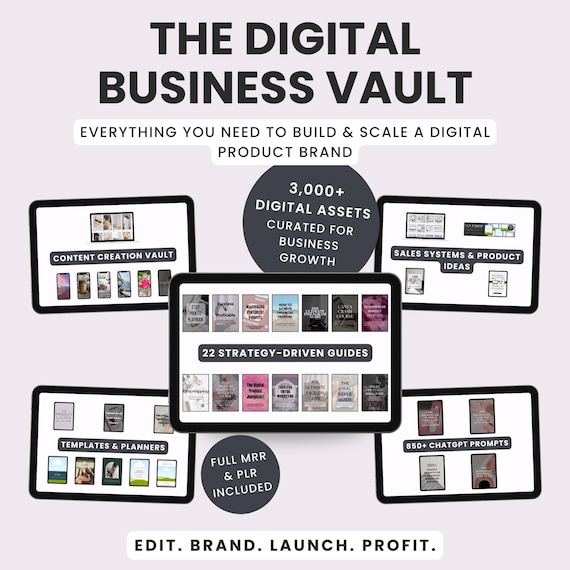
Credit: www.etsy.com
Frequently Asked Questions
How Much Money Can I Make Selling Digital Templates?
Your income depends on your niche, quality, and marketing. Many new sellers earn a few hundred dollars a month. Top sellers make $2,000–$10,000+ per month. Starting with a few high-demand templates and promoting them well is key to higher profits.
If you build a strong product line and loyal audience, your earnings can grow quickly. Many sellers reinvest profits into new designs or marketing, which helps scale their business.
Do I Need To Be A Graphic Designer To Create Templates?
No. Many successful sellers use simple tools like Canva. Focus on clarity, usefulness, and good instructions. Over time, you can learn new design skills with free online tutorials.
If you’re unsure about design, start with basic templates and improve as you get feedback. There are many free resources online to learn design basics.
Where Is The Best Place To Sell Digital Templates?
Marketplaces like Etsy and Creative Market are great for beginners because they provide traffic. As you grow, building your own website (with Shopify or WooCommerce) gives you more control and profit.
Some sellers also use social media shops or sell templates through affiliate partners. Test different platforms to see what works best for your products.
How Do I Protect My Templates From Being Stolen?
Add a license agreement and watermark your preview images. Selling through marketplaces gives you some protection, but it’s hard to stop all copying. Keep innovating and updating your products so you stay ahead of copycats.
If you notice that someone copies your templates, contact the marketplace or platform for support. Always keep records of your original designs.
What Are The Biggest Mistakes Beginners Make?
Common mistakes include:
- Picking a niche just because it’s popular, not because you can add value
- Ignoring customer support
- Using copyrighted images or fonts without the right license
- Not optimizing listings for search engines
- Giving up too soon—most shops need a few months to gain traction
Building a profitable digital template business from scratch is possible for anyone willing to learn, experiment, and persist. Focus on solving real problems, keep your templates easy to use, and never stop improving your offers and marketing. With the right steps, your side hustle can become a steady source of income—sometimes much more—giving you the freedom to work and earn on your terms.
How to Start an Eco-Friendly Green Consulting Business With Zero Capital